
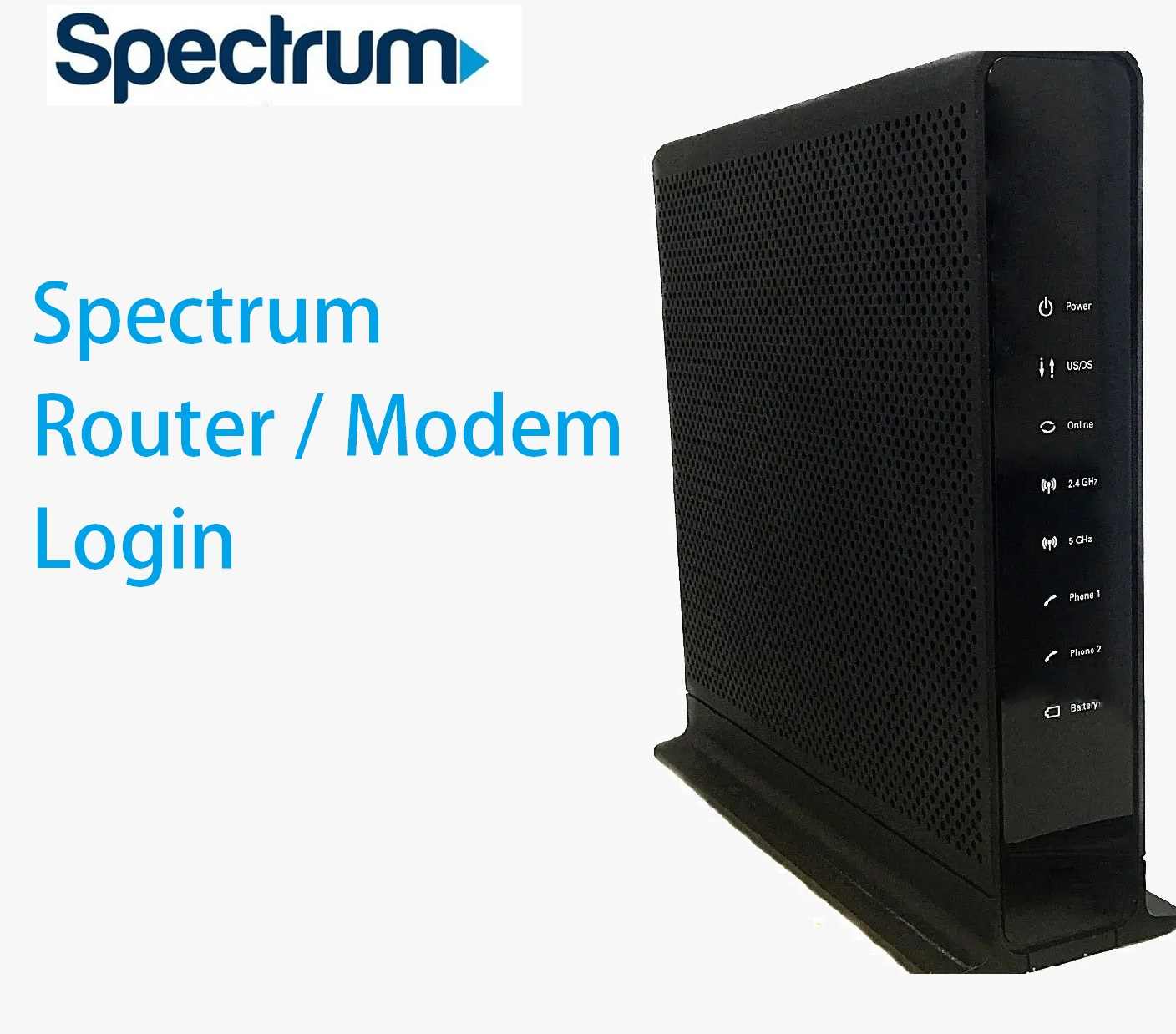
Spectrum Router Login User Guide
Spectrum Charter Communications is a popular and leading provider for internet, TV, and voice services. Spectrum provides triple-play service, internet, cable TV, and phone service over single coax cable. Spectrum used different cable modems and routers to deliver service to the different clients as per supported and subscribed services. If you have a Spectrum subscriber and looking for a Spectrum setup wifi user manual for the login spectrum router to manage your internet and wireless settings without contacting Spectrum customer care support then bookmark this article. This post will provide a simple manual to access the spectrum router login guide using default settings. If you are using any brand cable wi-fi modem that is compatible with Spectrum such as Arris, Ubee, Cisco, Motorola surfboard, Netgear Wave2, and many other cable modems. You need to connect your spectrum modem login either using a wired cable or Wi-Fi connectivity as supported by your modem models.
To access the router web interface you need to get the details of the Modem default Login IP address, username, and password that are usually printed on the router label. However, find the list of different default IP addresses and username-password combinations supported by different brands’ modems.
List of Spectrum Default IP Address and username password
Spectrum provides multiple services so there are many third-party routers and modems that are compatible with Spectrum and used by Spectrum users. Try the below username and password combinations to log in to your router depending on the brand name and models.
|
Spectrum RouterLogin IP
|
Username |
Password |
|
192.168.1.1 |
admin |
admin |
|
192.168.100.1 |
admin |
password |
|
192.168.0.1 |
cusadmin |
password |
|
192.168.10.1 |
admin |
admin |
|
|
|
|
|
|
|
|
The best way to find the router login IP address and username password is to check the router sticker bottom side to get the model number and other login information. just keep the ready login credential with you and proceed to the login router.
Steps to Access Spectrum Router/Cable Modem
The next steps are the connection required for spectrum setup wifi either physically wired or wireless that is preconfigured in the default wifi name and password for the first-time login or if you already changed the default wifi name and password use the same.
Your Spectrum Modem/ router can be non-wifi, single Ethernet, or multiple Ethernet that depending on the service you have subscribed from the spectrum.
· Turn ON your spectrum router and wait for a few seconds to boot properly.
· Connect a wired LAN cable from the Ethernet port to the computer LAN port or use the wifi connection to connect from Laptop if supports wireless.
· Go to the Windows/Mac or Linux LAN settings option and use DHCP mode to get IP from the router DHCP server.
Access Web interface to Browser
Now open a web browser and access http://192.168.1.1 or http://192.168.100.1 or the default IP as supported to your spectrum router and wait to load the login page.
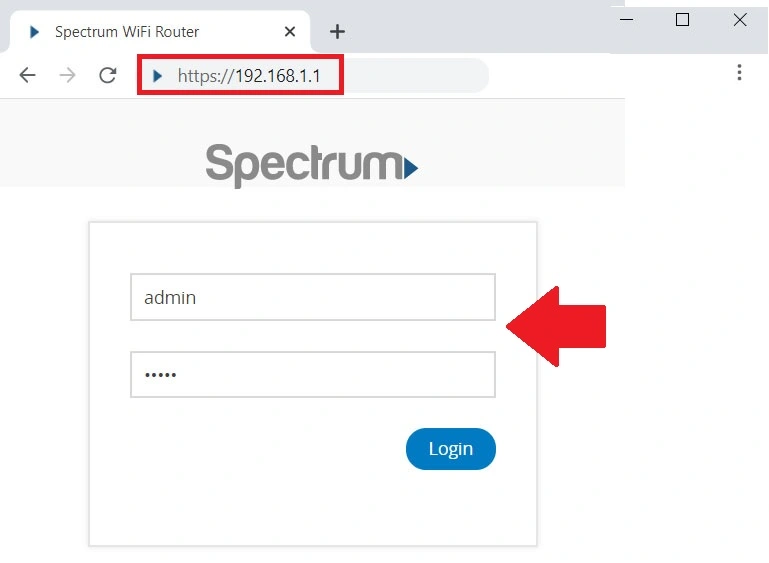
If you have created a spectrum Account you can also change your modem settings directly from the spectrum account page if still using the default settings in the modem.
Once you are logged into the router control panel you get all the settings information and can change wireless settings, port forwarding, as well as website block, or other security configurations that protect your network.
Change wireless SSID and Password
The first important configuration is to change the wireless network name and default password during the first time setup.
To change the default wifi network name you can either go to the basic settings option or directly from wireless settings.
Basic Settings- Basic Wireless Settings
If your spectrum modem supports dual-band you will get two wireless network and password settings for 2.4G and 5GHz but if your router supports single-band then you will get only 2.4Ghz settings
Wireless 2.4Ghz
WiFI Network Name (SSID)– Create a WIFI name for 2.4Ghz
Password (network key) – create a wifi password here.
Wireless 5 GHz
Enable SSID- Checkbox
Wifi network (SSID)- Wifi name for 5Ghz (you can use the same wi-fi and password for both bands)
Network key– WIFI password for 5 GHz band.
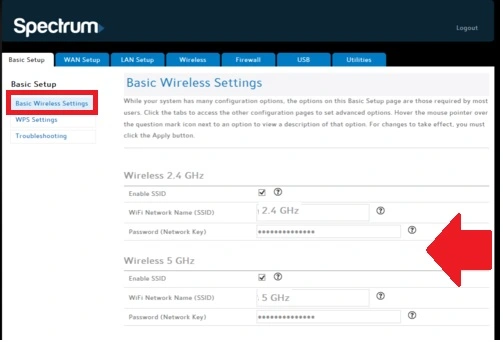
Press save and apply the setting to confirm settings. You can use the same wifi name and password to auto-select your preferred wireless band by mobile and laptop device without choosing manually.
Change Spectrum Administrator Password
Admin passwords are always recommended to change during the first time login to protect router access.
After login Spectrum modem go to the utility tab from the top menu
Utilities- System Settings
Administrator Login
Current Password- admin or password (use the default password for your modem as printed on a sticker)
New Password- Create a new login password.
Confirm New password- Confirm new password to avoid mistakes.
Login Timeout- set login time out to auto-logout router settings page if no activity for the time.
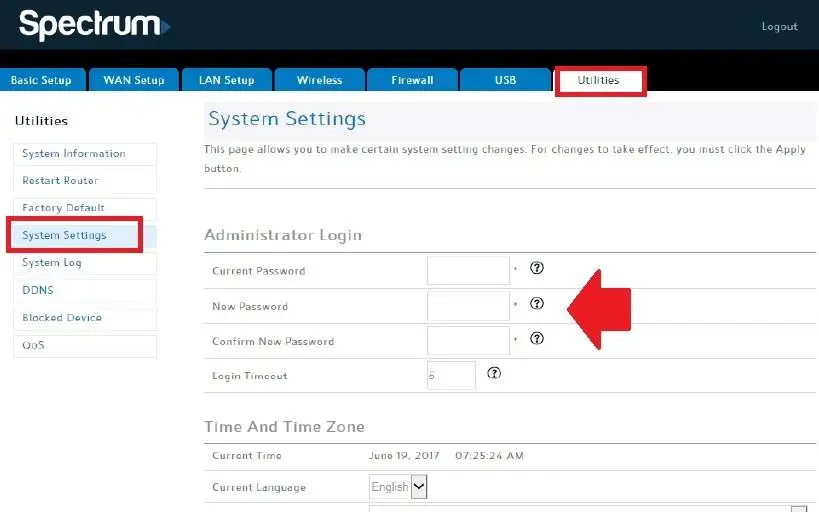
Save settings and remember the login password or note in a safe place.
Spectrum Login Troubleshooting
If you are facing any issues while trying to log in to the spectrum router for the first time or later during running status you have to follow the steps to fix it.
Spectrum Login IP Address Not Working
Login issue is one of the most common problems while accessing router settings to a web browser from mobile or computer that can come due to different errors. If you are facing an error with the spectrum default router login IP address that is printed to the router sticker then follow the below steps.
· Make sure you are LAN cable working properly or not damaged.
· Check if computer LAN IP settings are in DHCP mode.
· Make sure you didn’t change the default IP address already with a different name.
· Check if antivirus, firewall, or any other software blocking router IP.
· Use http://192.168.1.1 don’t use http//192.168.1.1 or http:192.168.1.1, www.192.168.1.1 that an invalid IP address.
If you are facing the wrong username or password error during spectrum modem login you can use the reset button to restore spectrum router settings to default mode. Make sure you have configuration settings before making the router default mode. Your internet and other services will stop until the modem is not configured again. After resetting the spectrum just follow the steps again for spectrum setup wifi and other configurations.
Related Post
- Best MoCA Adapters For Your Home
- How to Login Wavlin Router -192.168.10.1
- 192.168.0.1 Default admin username and password
- Opticover WiFi Extender Setup